
Ava Finance
Ava Finance, Inc.Finance
4.71.69K Reviews
- Version
- 5.1.6626
- Installs
- 500.00K
- Age Rating
- Everyone
Screenshots

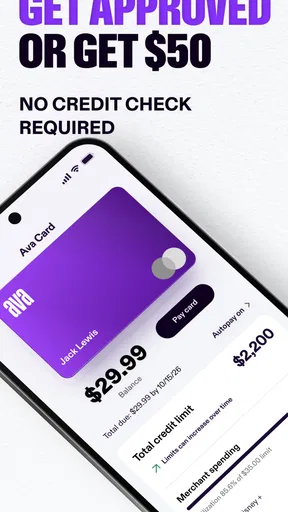
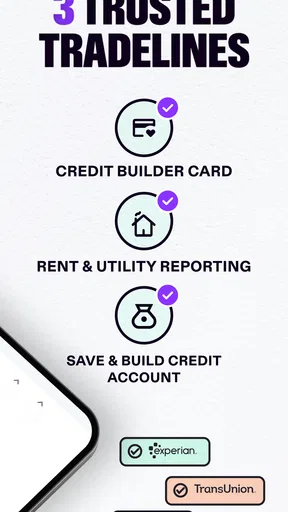
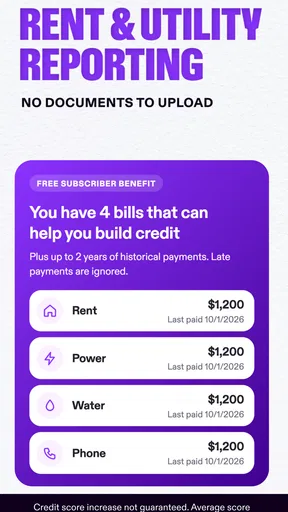
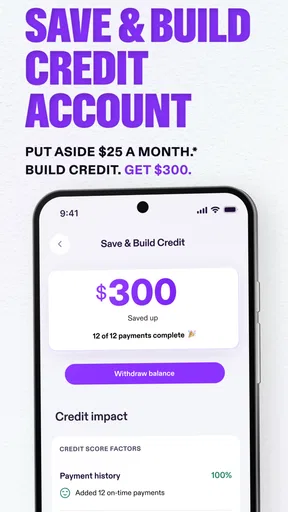
Our Review of Ava Finance
 Analysis by Appyee
I approached Ava Finance as someone trying to understand whether a credit-building app can fit into real life, not just whether it looks polished in a store listing. It is a free finance app from Ava Finance, Inc., designed around building credit, and its appeal is easy to understand: it puts a potentially complicated financial goal into a phone-based routine. In my experience, that makes it most interesting for people who want a clearer starting point than traditional credit products provide.
At the same time, credit is not a subject where I would rely on attractive screens alone. The useful question is whether the app helps you make sensible decisions, follow a manageable routine, and understand what you are doing before committing to anything. I found Ava most compelling when treated as a guided tool rather than a shortcut. It can support a plan, but it cannot replace careful reading, regular payments, or broader financial habits.
How Ava Finance feels to use in everyday situations
I find the everyday value of Ava Finance comes from having one focused place to revisit a credit-building task, rather than trying to remember every detail after a quick setup. In this section, I’ll look at how that focus can fit around an ordinary schedule and where a little preparation makes the experience more manageable. From there, it’s worth considering which users are best placed to benefit from that routine.
Readable navigation for a financial task
The first thing I look for in a finance app is whether I can tell what deserves my attention. Ava’s purpose is narrower than that of a full banking app, which is helpful. Instead of combining daily spending, investments, insurance, and bill management, it focuses on the credit-building journey. That narrower purpose can make the experience less intimidating for someone who does not already understand credit terminology.
I would still advise new users to slow down during setup and read every explanation rather than tapping through quickly. A credit product is not like a weather app where an accidental choice is easy to undo. The important details are the obligations, timing, eligibility, and reporting implications attached to the plan shown to you. The interface may make the route feel simple, but the financial decision itself deserves more attention than the number of screens suggests.
The app’s public reception gives some context about its reach. It has an average rating of 4.7 from around 17 thousand ratings, with roughly 1.7 thousand written reviews, and it has passed 500 thousand installs. Those figures suggest that many people have found the experience useful enough to engage with, although they should not be treated as a guarantee that every user will receive the same result. Credit situations vary considerably, and an app cannot make an unsuitable plan suitable.
One practical habit I recommend is to use the app at a calm moment, preferably with your current bills and account information nearby. That makes it easier to compare what Ava asks you to do with your existing monthly commitments. If you open it while rushing between errands, the cleanest interface in the world will not prevent a rushed choice.
Making the experience work for different abilities
For users with visual, reading, or attention-related needs, the most important benefit of a focused finance app is reduced scope. There are fewer unrelated destinations competing for attention than in a conventional banking application. I found that this kind of focus can make it easier to return to the same task and remember why the app is installed.
However, financial clarity is more than large text or a tidy layout. A genuinely usable credit workflow should make the next action understandable, distinguish educational information from an actual commitment, and avoid forcing users to remember several dates at once. My advice is to pause whenever a screen introduces a new term or asks for confirmation. If the wording is unclear, do not infer its meaning from a button label.
People who use screen readers, enlarged display settings, color adjustments, voice control, or other device-level tools should test the complete journey rather than assuming every screen behaves equally well. The relevant test is not whether the opening page is readable; it is whether a user can review details, move through forms, recognize errors, and confirm a decision without assistance. I would also keep the phone’s text and display settings comfortable before beginning, because reducing visual strain matters when reading financial conditions.
For someone with dyslexia, limited concentration, or anxiety around money, a useful approach is to divide the process into short sessions. First understand the purpose. Then review the required actions. Only after that should you decide whether the product belongs in your financial routine. This is not a special trick built into the app; it is a way of using a focused tool without letting a fast mobile flow push you into a decision.
Motor and sensory considerations
Credit-building tasks often involve small but important interactions: selecting an option, entering information, reviewing a schedule, and confirming a choice. That can be difficult for people with tremors, reduced dexterity, fatigue, or temporary hand injuries. I would use Ava when seated, with enough time to check each selection, instead of trying to complete setup while walking or carrying something.
Users who rely on voice input or alternative controls should pay particular attention to confirmation steps. A voice command that selects the wrong item can have more serious consequences in a finance app than in a casual shopping app. After any hands-free interaction, I would visually or audibly verify the resulting screen before continuing. The extra pause is worthwhile.
Sensory needs also include sound, brightness, and cognitive load. I prefer completing financial tasks with notifications and unrelated apps out of the way, because interruptions make it easier to lose track of what I have already reviewed. If bright screens or dense information are uncomfortable, device-level display adjustments and a larger, calmer environment can help. The app is only one part of the access experience; the phone, operating system, and surroundings matter too.
Ava’s free price lowers the barrier to trying it, but “free” should not be confused with “costless in every practical sense.” Your time, attention, payment discipline, and willingness to understand the arrangement still matter. I would never install a credit-building app for someone who cannot comfortably monitor financial commitments. A product that is inexpensive to download can still be a poor fit if its routine adds stress or competes with essential bills.
A realistic routine for a busy user
Imagine someone who has recently moved, has a thin credit history, and works irregular shifts. They may not have the time or confidence to visit a branch, compare several conventional credit products, and maintain a complicated spreadsheet. Ava can be useful as a single place to begin learning and organizing a credit-building routine from a phone.
In that situation, I would suggest opening the app on a day off, reading the available terms carefully, and writing down the relevant payment responsibilities in a separate calendar. The user should then check the app at a consistent weekly moment rather than waiting until a reminder becomes urgent. This workflow separates learning from maintenance, which is especially helpful for people whose work schedule changes.
Another useful scenario is a person who has been rejected for ordinary credit products and wants to explore a more structured starting point. Ava may feel less intimidating than applying repeatedly elsewhere, but I would avoid treating it as a guaranteed approval route or a promise of a particular credit outcome. The right comparison is not “Ava versus no effort”; it is “Ava versus a carefully chosen alternative that I fully understand.”
For a caregiver helping an older relative, the app could serve as a discussion aid, but I would keep the account holder involved in every decision. Financial support should not become silent control. Readability and navigation matter here, yet consent and comprehension matter just as much. If the relative cannot explain what the routine requires, the process needs to slow down.
Where it differs from ordinary alternatives
The usual alternatives in this category include secured credit cards, credit-builder loans, bank-based tools, and simply building history through existing accounts. A secured card may offer more familiar spending flexibility, but it normally requires the user to manage purchases, utilization, and payment timing. That can be useful for someone ready to learn those habits, but it can also create more opportunities for mistakes.
A traditional credit-builder loan may feel more formal and may suit someone who prefers a fixed installment structure, while a bank’s own credit features can be convenient for an existing customer. On the other hand, those options may involve different eligibility rules, account relationships, or levels of explanation. Ava’s strongest distinction is its focused mobile approach: it is aimed at helping users work toward better credit without presenting itself as a general-purpose banking replacement.
That focus is also its limitation. If you want budgeting, checking, savings, bill negotiation, and credit education in one broad dashboard, Ava may feel incomplete. If your main problem is overspending, a budgeting app could be more appropriate. If you already have a reliable credit card and never miss payments, adding another credit-building service may create unnecessary complexity rather than solving a real problem.
Three habits that make the app more useful
My first recommendation is to treat the app’s instructions as a checklist, not background reading. Before enrolling or confirming anything, note what action is expected from you, when it must happen, and how it fits beside rent, utilities, food, and existing debt. This simple comparison reveals whether the routine is genuinely manageable.
Second, keep an independent record of important dates and confirmations. I would not rely on memory or on a single phone notification for a credit-related obligation. A calendar entry, a paper note, or an accessibility-friendly reminder system gives you a backup if you miss an alert, change phones, or cannot open the app at the expected moment.
Third, review your broader credit behavior instead of judging success from the app alone. Building credit is not only about starting a service; it is also about avoiding late payments, keeping borrowing controlled, and checking that your overall financial plan remains realistic. Ava can be one part of that process, but it should not become the only place where you think about your credit.
A less obvious trade-off is the tension between simplicity and independence. A guided app can help a beginner take the first step, but a beginner who never learns the underlying concepts may remain dependent on prompts. I would use Ava as a learning bridge: understand each action, then gradually become comfortable evaluating credit products without assuming that the most convenient next button is automatically the best choice.
Remaining barriers before you decide
The main barrier is financial comprehension. Even a friendly interface cannot remove the need to understand obligations and consequences. Users with limited English proficiency, reading difficulties, or low confidence with money may need a trusted person to help interpret information, but that person should explain rather than decide on the user’s behalf.
Another barrier is consistency. A credit-building routine only makes sense if you can follow it alongside your real income and expenses. People with unstable cash flow should be especially cautious. If an unexpected medical bill, reduced work schedule, or family emergency could make the required routine difficult, it may be wiser to stabilize essentials first instead of adding a new financial commitment.
Privacy and trust also deserve personal consideration. Ava is a finance app, so I would install it only on a device I keep secure, use a strong device passcode, and avoid completing sensitive steps on public networks or shared phones. These are sensible precautions for any financial service, not evidence of a problem with this particular product.
Compatibility is straightforward for many users: the current version is 5.1.6626 and the app supports Android 9 or later. That makes checking your phone’s operating system a sensible first step before investing time in setup. It is available as a free app and is rated for Everyone, but an age label does not mean every financial decision is appropriate for every person. A young or inexperienced user may still need adult guidance and a clear understanding of responsibility.
I would skip Ava if you are looking for instant money, a general bank account, a way to erase negative history, or a guaranteed improvement in your credit profile. I would also skip it if you cannot commit to reading the terms and tracking the routine. In those cases, a nonprofit credit counselor, a basic budgeting method, or a different product with a structure you already understand may be safer and more useful.
My inclusive verdict
After looking at the app through the lens of readability, motor access, sensory comfort, and changing life situations, I see Ava Finance as a focused option for people who want a mobile entry point into credit building. Its narrow purpose can reduce the clutter found in broader financial apps, and its free availability makes exploration easier. The strongest experience will come from users who are willing to move slowly, ask questions, and maintain their own reminders.
I would recommend it to a beginner with a clear credit-building goal, a stable enough routine to meet financial responsibilities, and the patience to understand each step. I would be more cautious for anyone facing immediate cash-flow problems, reading barriers without support, or uncertainty about what the product requires. Accessibility is not only whether a screen can be opened; it is whether the entire decision can be understood and completed safely.
My final view is positive but measured. Ava can make the first stage of credit building feel less overwhelming, especially when compared with navigating several traditional options at once. It is not a substitute for financial education, a guarantee of results, or a complete money-management system. If you use it as one carefully monitored part of a wider plan, Ava Finance can be a practical starting point. If you need broad banking tools or cannot reliably manage another obligation, choosing a simpler or more personal alternative would be the wiser decision.
Verdict
Strengths of Ava Finance
- Clear overview of balances, loans, and repayments in one place.
- Useful alerts can help users track due dates and account activity.
- Clean interface makes routine financial tasks easy to find.
- Digital access may reduce the need for phone or branch support.
- Helpful for comparing available borrowing options quickly.
Limitations of Ava Finance
- Availability and features may vary by country or supported lender.
- Loan approval is not guaranteed and depends on eligibility checks.
- Interest rates and fees can make borrowing more expensive than expected.
- Financial data and identity documents require careful privacy consideration.
- Some users may encounter limits on transfers, withdrawals, or account access.
Similar Picks in This Category
View All
Google Wallet
Google LLC4.3

Airtel: Recharge, Bank & Loans
Airtel4.0

PayPal - Pay, Send, Save
PayPal Mobile4.2

DANA Indonesia Digital Wallet
PT Espay Debit Indonesia Koe4.5

Binance: Buy Bitcoin & Crypto
Binance Inc.4.8

Cash App
Block, Inc.4.7
Frequently Asked Questions
What is Ava Finance, and what can I use it for?
Ava Finance is a personal finance and money-management app designed to help users organize their financial information in one place. Depending on the version and region, it may provide tools for tracking spending, monitoring accounts, managing budgets, reviewing financial activity, or accessing related financial services. Before downloading, check the official description to confirm which features are currently available in your country.
Is Ava Finance safe to use with my personal and financial information?
Because a finance app may handle sensitive information, users should review Ava Finance’s privacy policy, security details, and required permissions before creating an account. Look for explanations of encryption, data storage, third-party sharing, account protection, and customer support. You should also download only from the official Google Play Store or Apple App Store and avoid sharing passwords, verification codes, or banking credentials outside the app.
Does Ava Finance charge fees or require a subscription?
The cost of using Ava Finance can depend on the features you choose, your location, and the current terms offered by the developer. Some functions may be free, while premium tools, financial products, transactions, or optional services could involve fees, interest, or subscription payments. Carefully review the pricing page, service agreement, and payment terms before accepting an offer or linking a payment method.
Which devices and operating systems are compatible with Ava Finance?
Ava Finance may be available for Android and iOS, but compatibility can vary according to the app version, device model, operating-system release, and region. Check the listing in your device’s official app store for the minimum Android or iOS requirement, download size, and recent update information. An unsupported or outdated device may cause installation problems, crashes, or limited access to newer features.
What should I do if Ava Finance does not work or I need help with my account?
If Ava Finance fails to open, displays incorrect information, or cannot complete an action, first update the app, restart your device, and check your internet connection. Avoid repeatedly entering sensitive details if a login problem occurs. Use the official in-app help center, support email, or developer contact listed in the app store. For suspected unauthorized activity, secure your account immediately and contact the relevant financial provider.
